Frame-accurate review
Review every frame together.
Video, images, PDFs and 3D in one place — comment on the frame, compare versions and present live.
Trusted by studios — names to come
- Studio
- Studio
- Studio
- Studio
- Studio
With MAS Review, we are going to build the right bridge between demand and deliveries, and make communication efficient and clear, so everyone is on the same page, all the time, and miscommunication doesn't happen anymore.
What you get
Everything the room needs to say yes.
Frame-accurate comments on video, images, PDFs, audio and 3D. Live sessions that follow the presenter, share links for clients, versions and compare.
The whole room, on the same frame, at the same time.
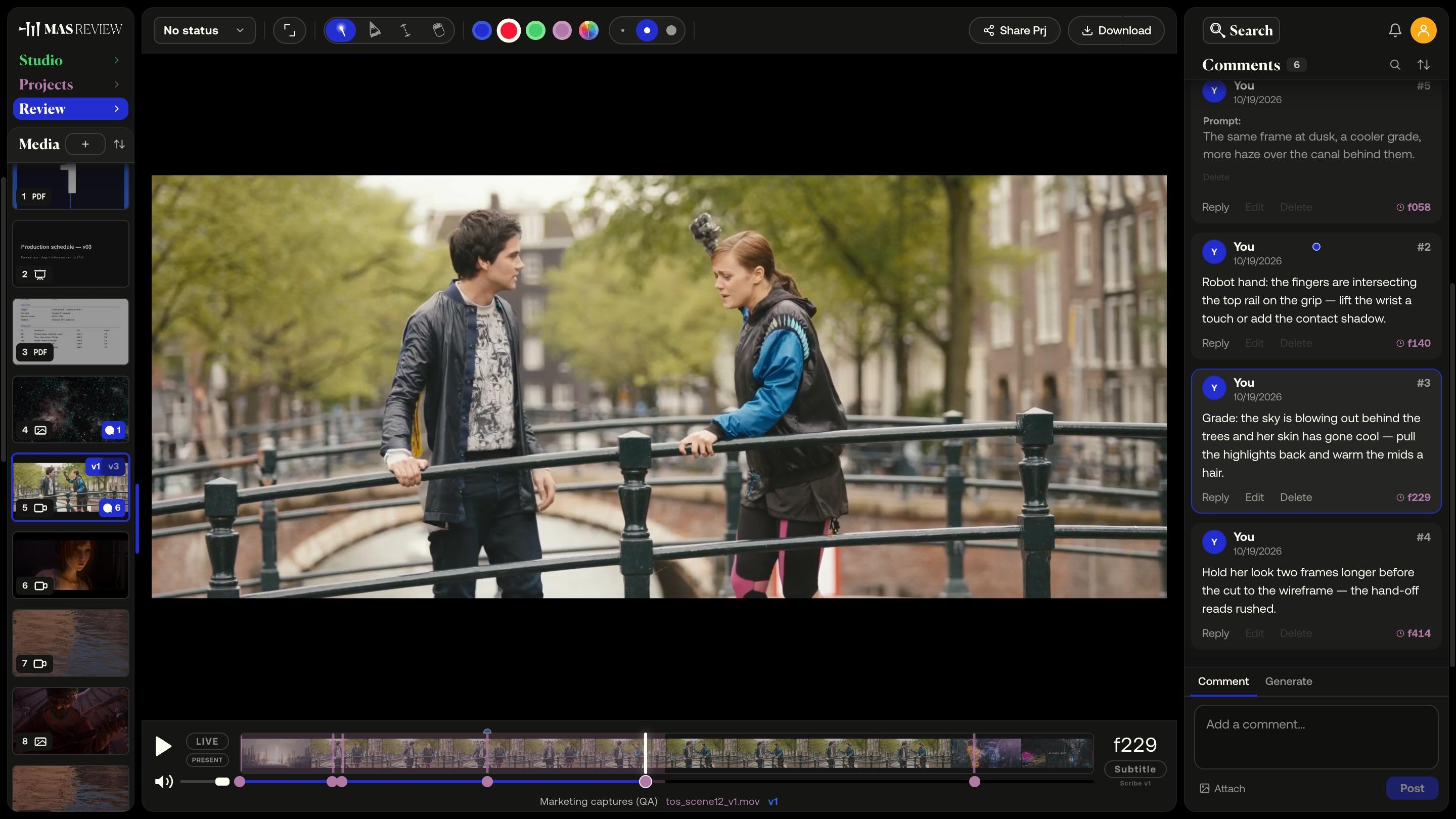
All nine featuresVideo comments
Frame-accurate video comments
A comment pins to the frame you post it on at the clip's true rate — 23.976 stays 23.976 — and sits as a marker on the timeline.
Media formats
Video, images, PDFs, audio and 3D
87 file types open in the viewer, from ProRes and camera RAW to PSD, Office documents, glTF and Blender files. The rest are stored and downloadable.
Review together
Live sessions
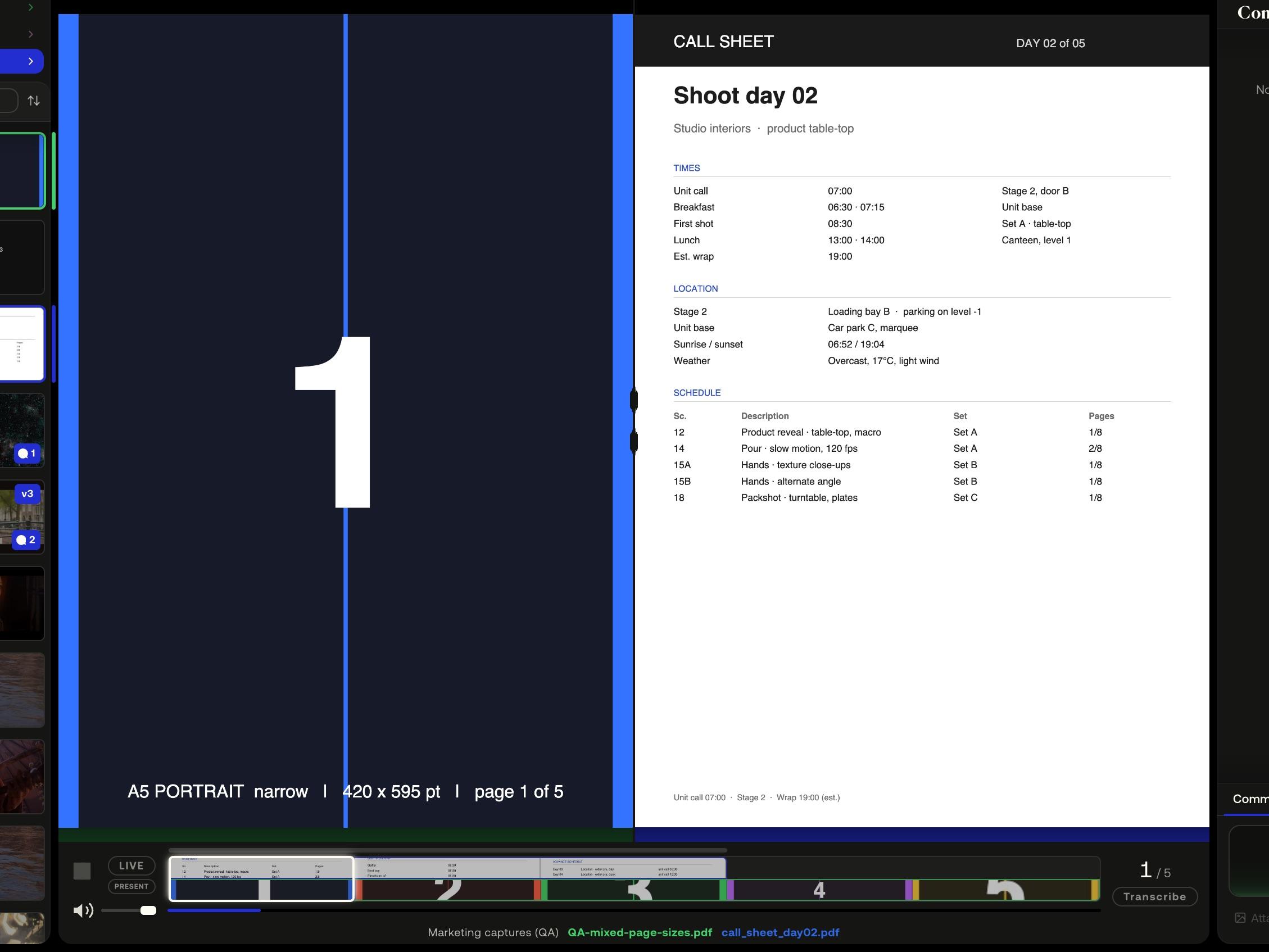
Everyone in the session follows the same view — play, seek, zoom, 3D camera and page turns stay in sync — or hand the room to one presenter.
Client review
Share links for clients
A link to a project — or, on Pro, a single file. Guests comment, draw and measure in the browser without an account, and never take a seat.
Rounds of review
Versions and compare
Stack versions on one tile and compare two side by side: video on a shared timeline with offset, images, PDF pages, or a 3D model against a still.
3D review
Pins and measure on 3D
Comments pin to a point on the model's surface and fly the camera back. Measure in the model's units; switch shading and wireframe.
Generation features
Generation credits
Subtitles, translation, re-voicing, palettes and image generation draw from one monthly allowance — 50 credits on Free, 1,000 on Pro.
Camera to Cloud
Camera to Cloud
A Mac app watches a folder on the DIT station. Every clip copied in uploads to the project by itself and arrives playable and commentable. Pro.
Colour management
Camera logs and LUTs
Preview S-Log3, LogC and Log3G10 footage through a display conversion, or load your own .cube LUT. Set once on the file, everyone sees the same picture.
Example footage: Tears of Steel — (CC) Blender Foundation / mango.blender.org, and Sintel — © copyright Blender Foundation / durian.blender.org, both licensed CC BY 3.0.
Excerpts are cut, re-encoded and annotated here. Grand Canyon footage courtesy National Park Service, Grand Canyon National Park. Nebula still: NASA/JPL-Caltech (PIA23646).
3D models: Lantern and Toy Car from the Khronos glTF Sample Assets, CC0. The appearance of any of these works here is not an endorsement of MAS Review by their authors.
Review together
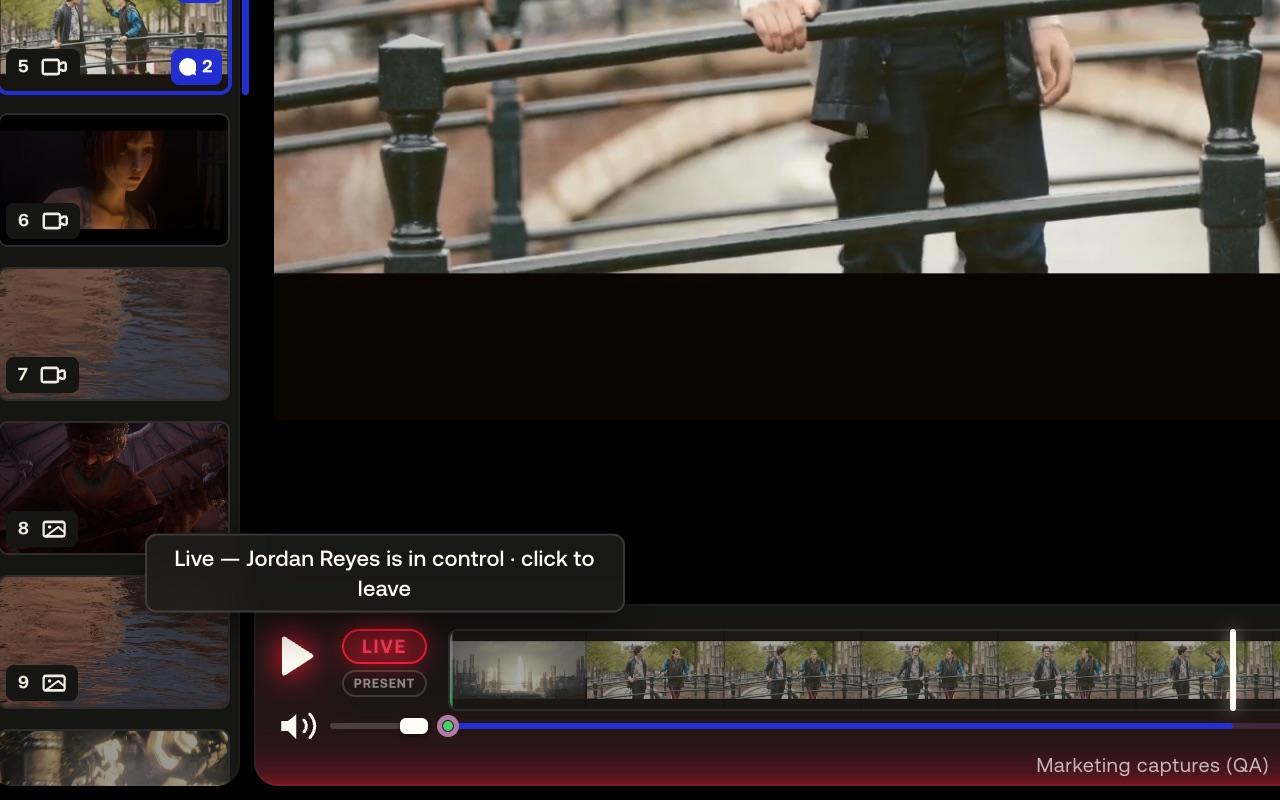
Press LIVE and everyone who joins sees the same frame.
Everyone in the session follows the same view — play, seek, zoom, 3D camera and page turns stay in sync — or hand the room to one presenter.
A comment pins to the frame you post it on at the clip's true rate — 23.976 stays 23.976 — and sits as a marker on the timeline.
See live sessions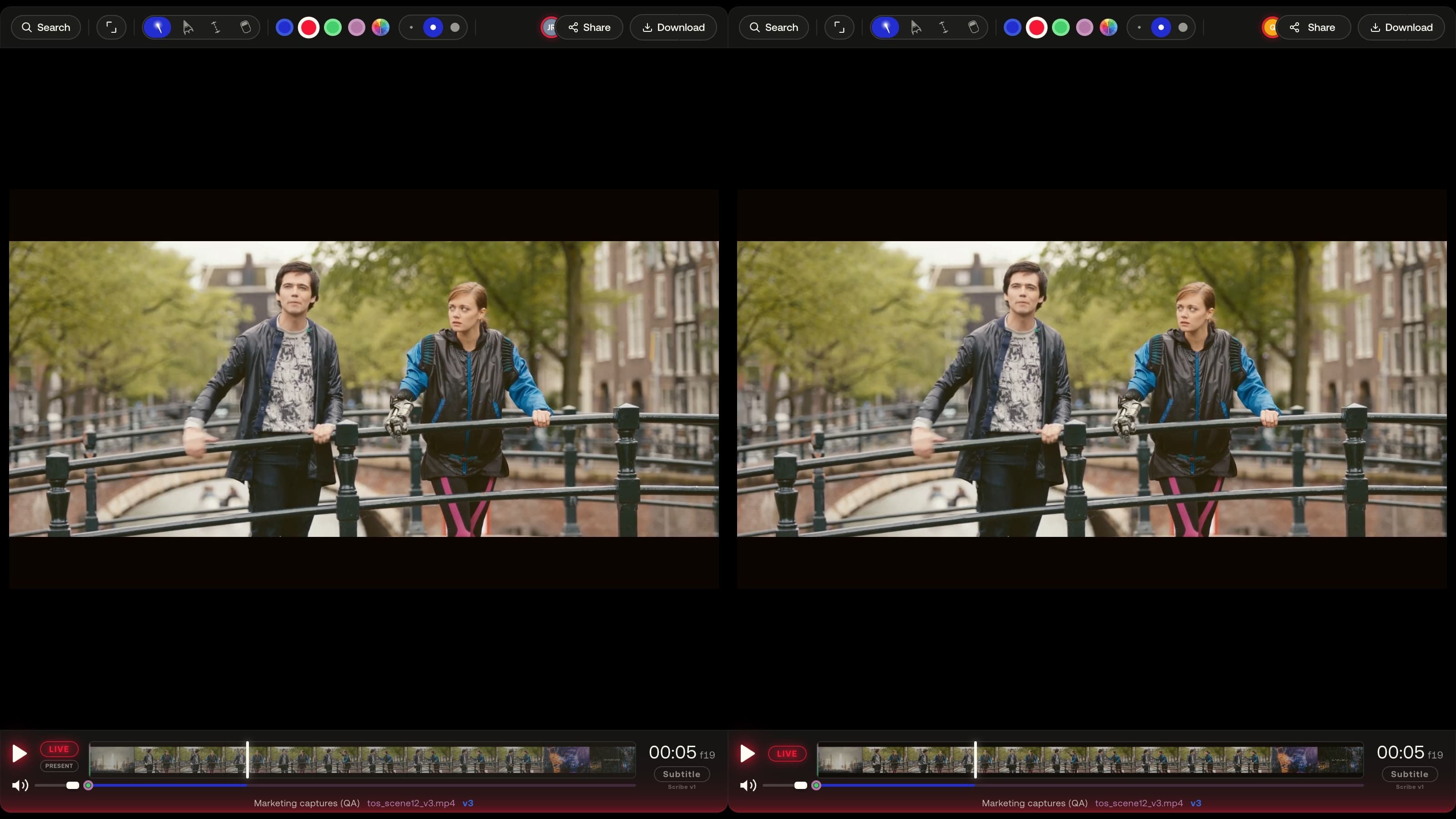
Client review
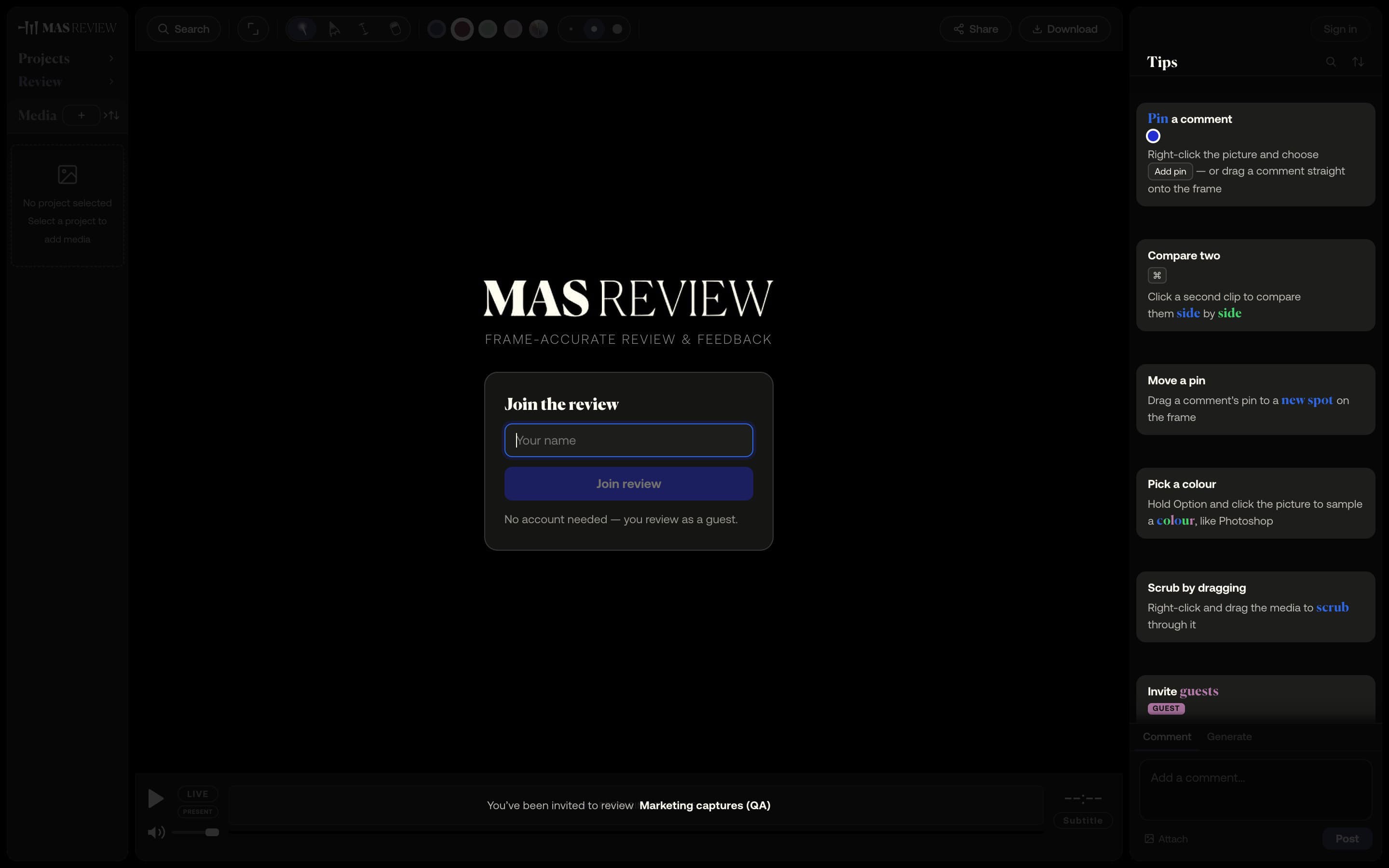
Send one link and your client is reviewing — no account, no seat.
A link to a project — or, on Pro, a single file. Guests comment, draw and measure in the browser without an account, and never take a seat.
Stack versions on one tile and compare two side by side: video on a shared timeline with offset, images, PDF pages, or a 3D model against a still.
See share linksStudio quotes — to come
A quote from a studio using MAS Review — to come.
Name · Studio
A quote from a studio using MAS Review — to come.
Name · Studio
A quote from a studio using MAS Review — to come.
Name · Studio
Pricing
Free to start. Pro when the studio grows.
Free
$0 per month
- 2 seats
- 2 active projects
- 10 GB of storage, pooled per studio
- 50 Generation credits a month
Pro
$15 per seat / month, billed annually
- Unlimited seats — every member is a seat
- Unlimited active projects
- 1 TB of storage + 256 GB per extra seat
- 1,000 Generation credits a month, plus top-up packs
Closed beta
By invitation
Nothing is on sale and no payment can be taken until a registered company operates MAS Review. Until then every studio runs by invitation.
Request accessMAS Review is in closed beta. The plans are shown for reference: nothing is on sale and no payment can be taken until a registered company operates MAS Review. Until then every studio runs by invitation.