Camera to Cloud
Copy the card into one folder and every clip arrives in the project by itself.
A Mac app watches a folder on the DIT station. Every clip and still copied in uploads to your project, encodes in the cloud and shows up playable and commentable — with nobody in the app.
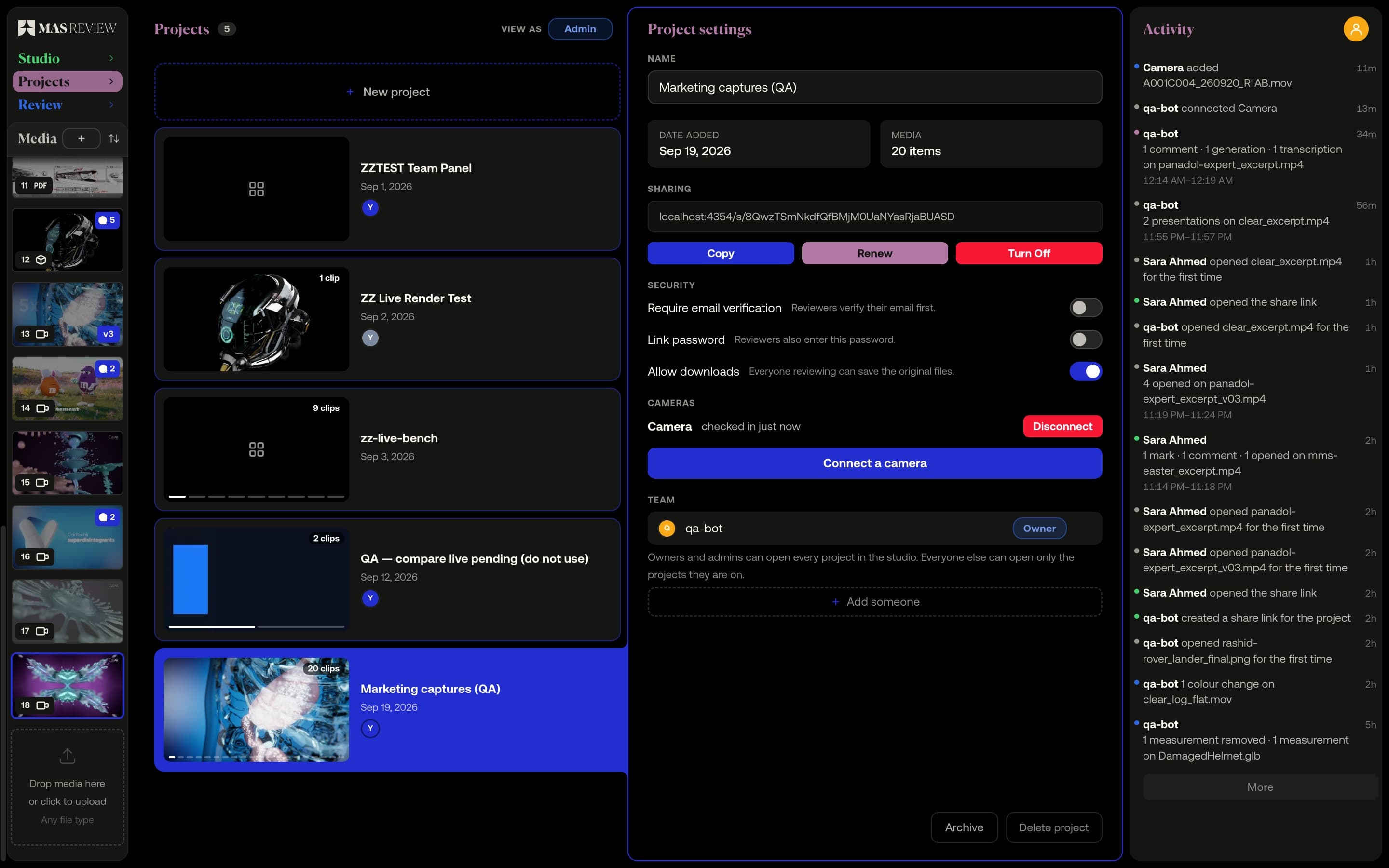
Point it at the folder
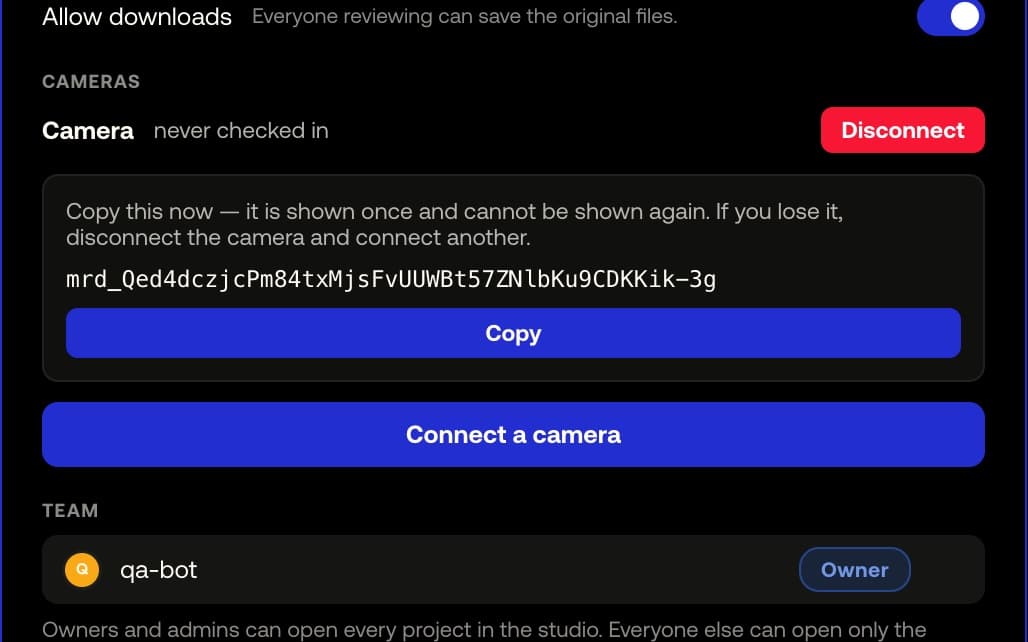
A small Mac app on the DIT station watches the folder your cards get copied into. Every clip and still that lands there is uploaded to the project on its own.
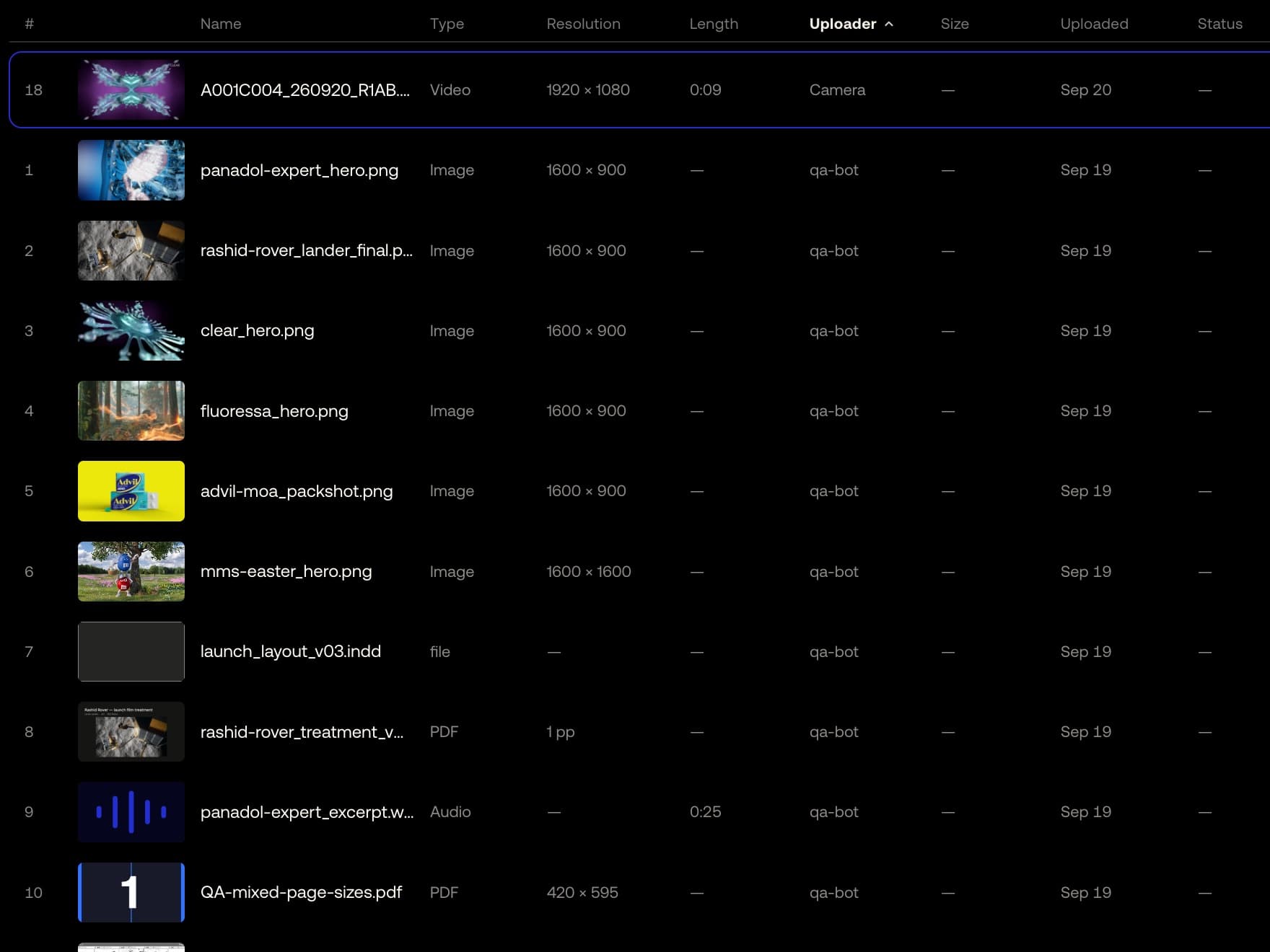
Nobody babysits it
The upload goes straight to storage, the server writes the clip into the project and the encoder reports back — nothing needs a browser open. The clip turns playable while the shoot is still going.
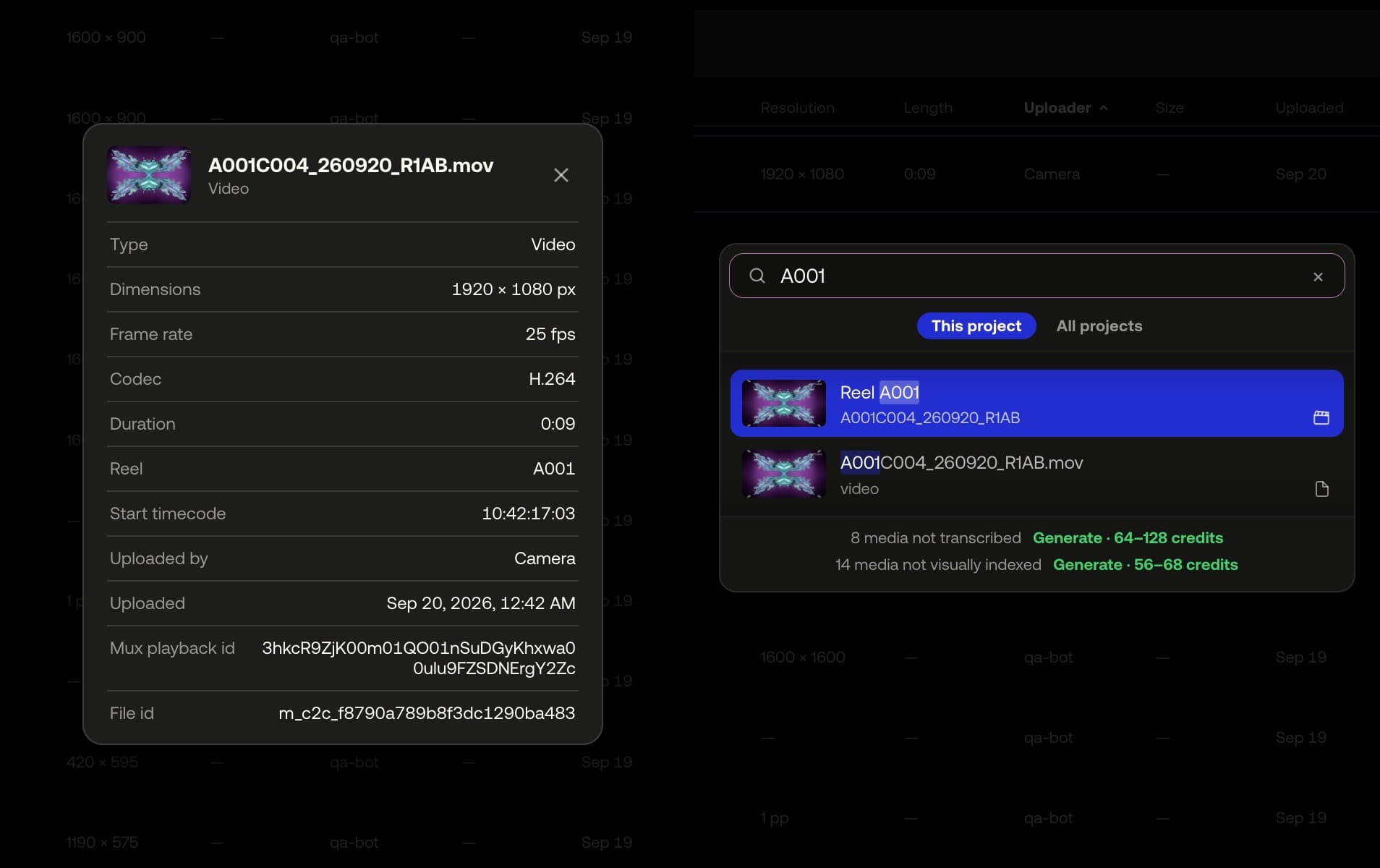
The slate comes with the clip
Start timecode and reel are read off the QuickTime or MP4 original on the station, before the transcode strips them. They show in the clip's Info, and searching for a reel finds the take.
Example footage from commercials produced by Smoke & Mirrors (Tag) and its team. All rights belong to their owners. Their appearance here is not an endorsement of MAS Review.
How it works
- 01
In project settings, press Connect a camera and copy the token once.
- 02
In the app, choose the folder, paste the token, press Start watching.
- 03
Copy the card as you always do; every clip arrives playable.
At a glance
- The folder, subfolders included, is checked every 5 seconds.
- A clip is sent only once its size has stopped changing.
- A dropped link resumes; the same take never lands twice.
- Each camera has its own token, scoped to one project; Disconnect refuses its next request.
- Available on
- Pro
MAS Review is in closed beta. The plans are shown for reference: nothing is on sale and no payment can be taken until a registered company operates MAS Review. Until then every studio runs by invitation.
Related
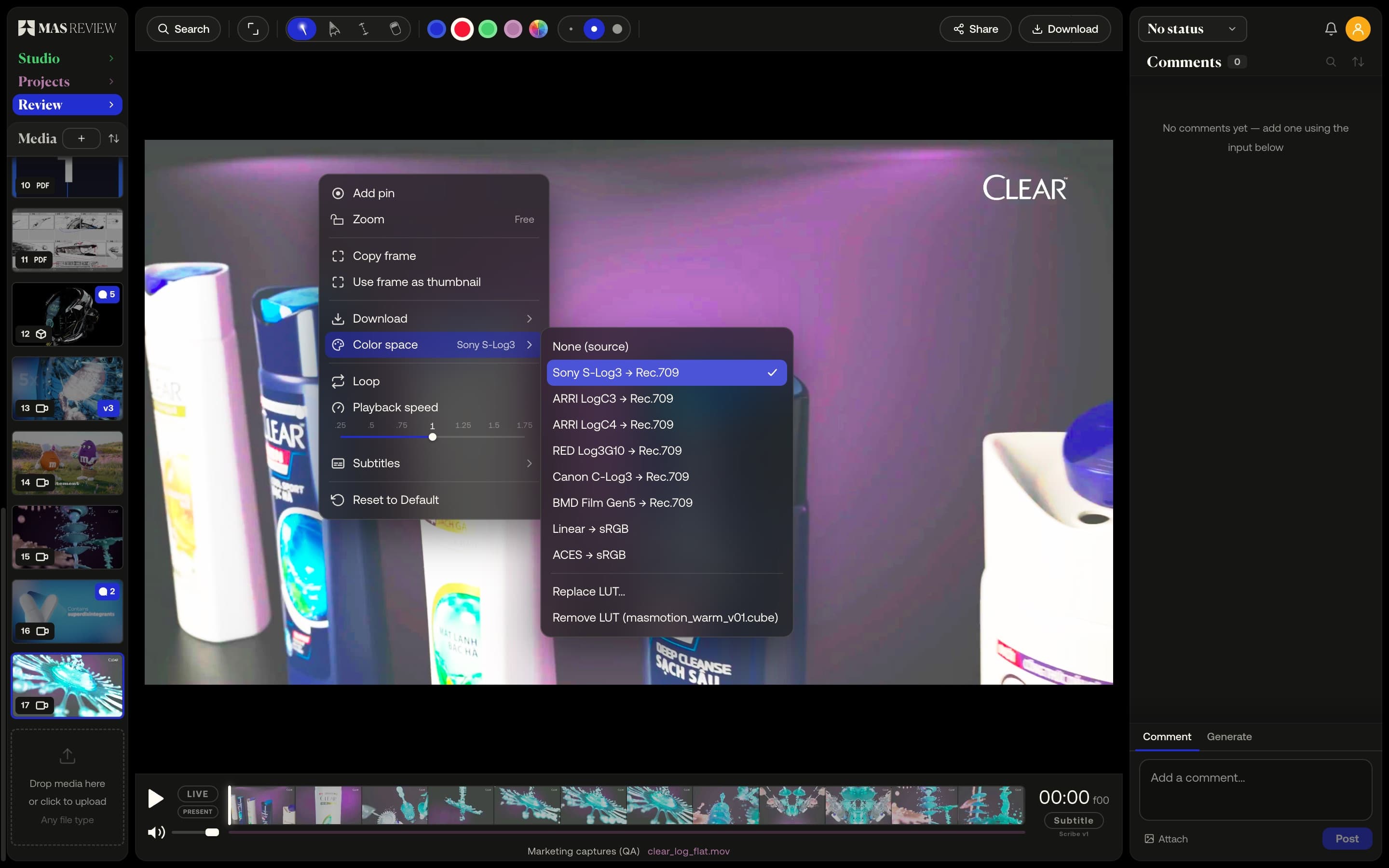
Camera logs and LUTs
Preview S-Log3, LogC and Log3G10 footage through a display conversion, or load your own .cube LUT. Set once on the file, everyone sees the same picture.
Learn more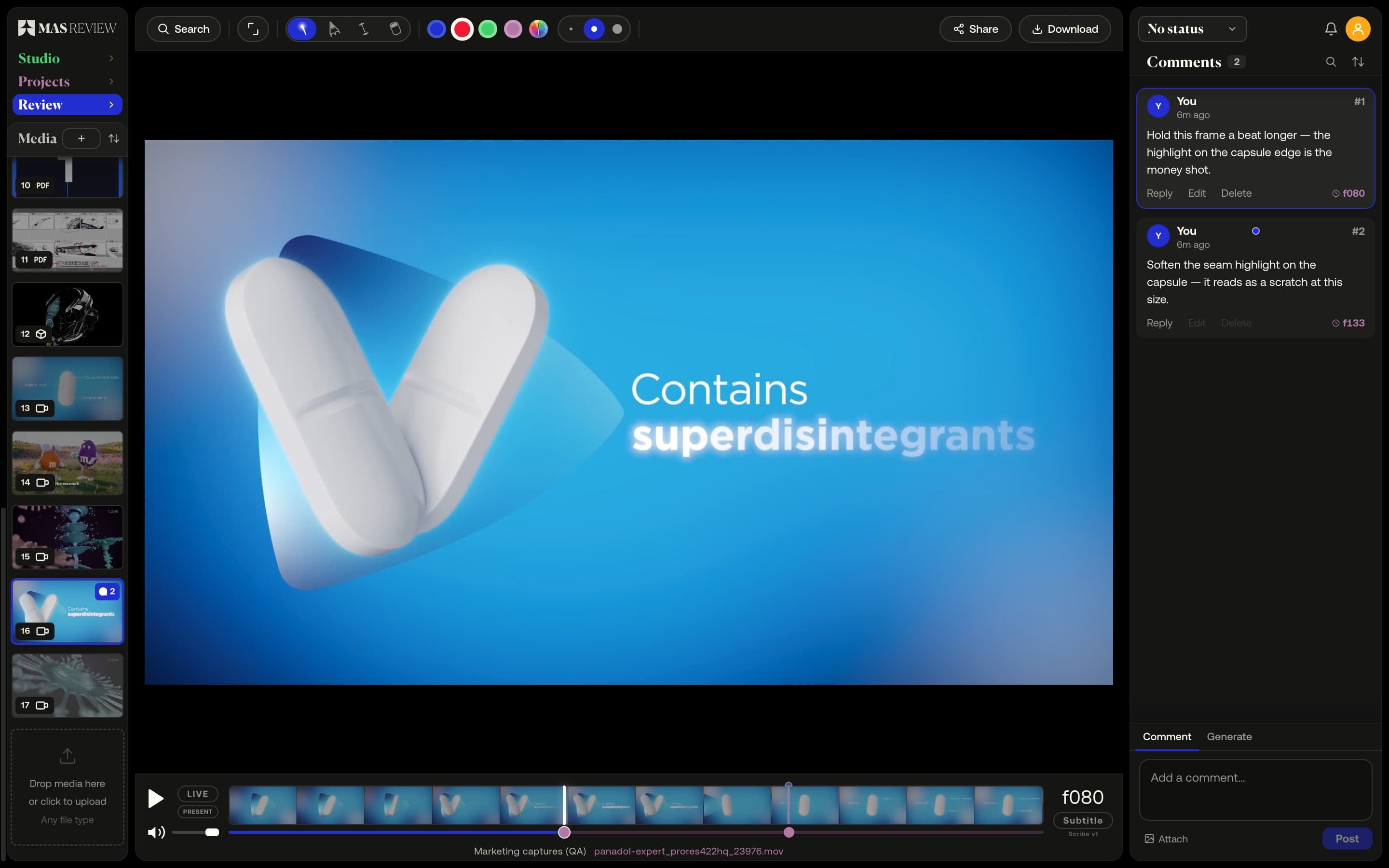
Frame-accurate video comments
A comment pins to the frame you post it on at the clip's true rate — 23.976 stays 23.976 — and sits as a marker on the timeline.
Learn more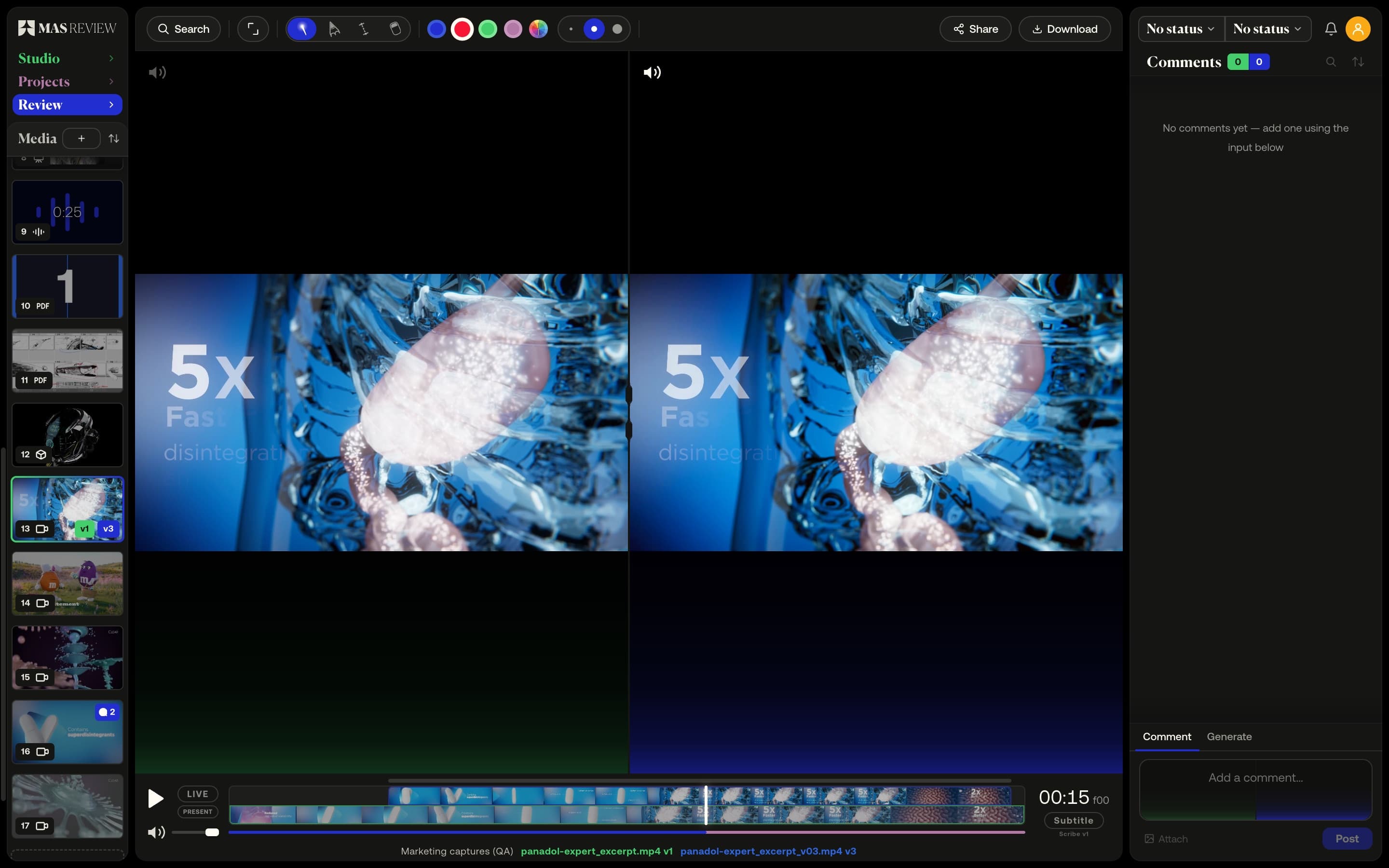
Versions and compare
Stack versions on one tile and compare two side by side: video on a shared timeline with offset, images, PDF pages, or a 3D model against a still.
Learn more